
The VariationFlow app
Capture the change on site, before anyone forgets it.
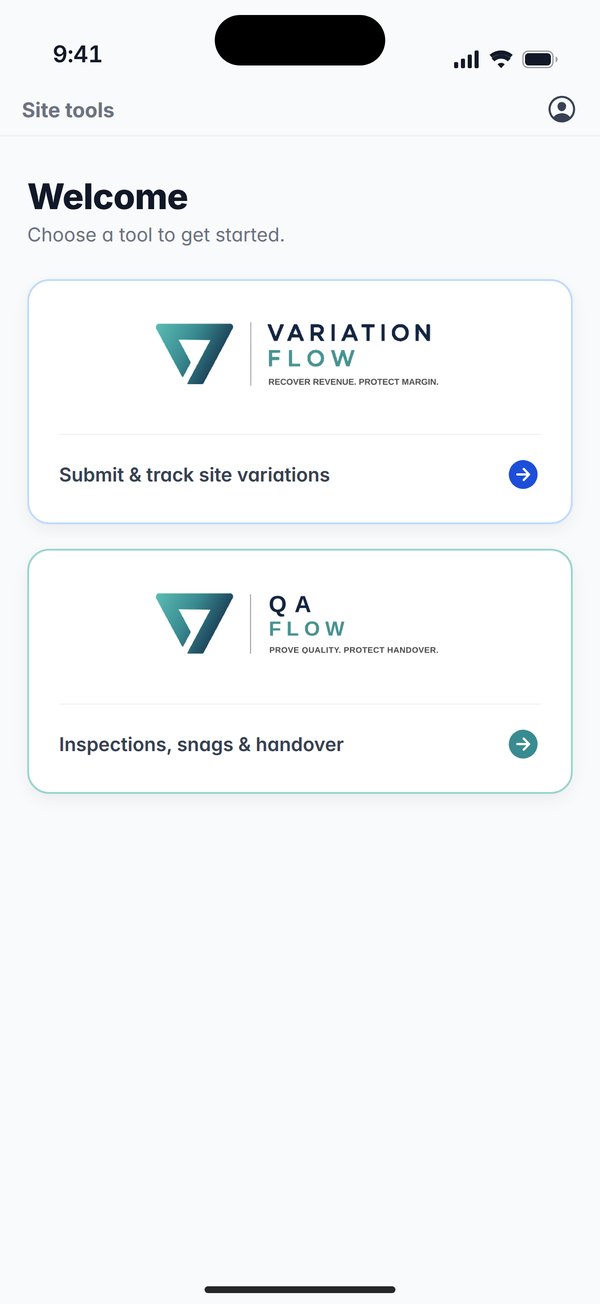
The VariationFlow app puts variation capture in the pocket of everyone on site: what changed, who asked for it and their signature, photos, a voice note and the location, in about a minute, with or without signal, and in your crew’s own language.


Free to download for iPhone and Android. You sign in with your company’s VariationFlow account, and an account is free for the first job: one project, two users, no card.
What it does on site
A variation logged on the day, with a photo, a location and the name of the person who asked for it, is worth more at the final account than anything put together from memory. The app is built to make that the easy thing to do.
A capture in about a minute
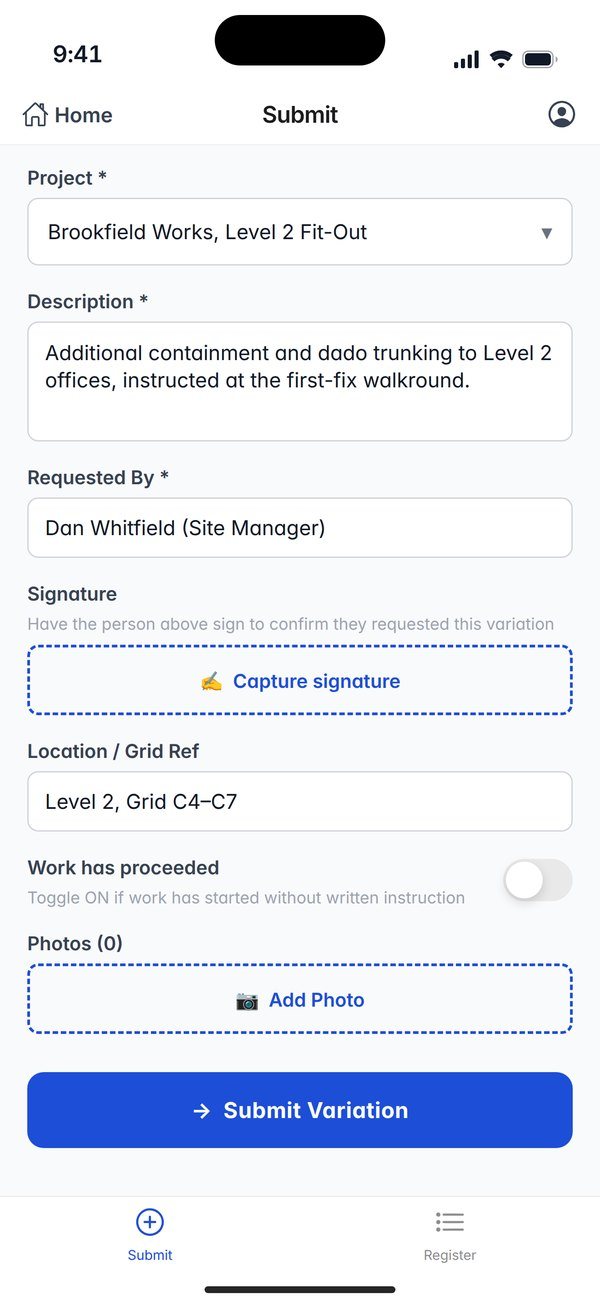
Pick the project, say what changed and who asked for it, and hand them the phone to sign. The location fills itself from GPS, or type a room or grid reference over it. Add photos from the camera and a voice note of up to 30 seconds.
Work started first? Say so
Switch on “Work has proceeded” when the work began without a written instruction. The app shows a commercial-risk warning, and the variation reaches the office with the flag on it.
No signal, nothing lost
Before sending, the app checks that it can reach VariationFlow rather than trusting the phone’s network status. With no connection it saves the capture on the phone, photos and voice note included, and sends it by itself when you are back in coverage.
Recorded once, at the time it was taken
Each capture carries its own key, so a retried send never makes a duplicate, and it keeps the time it was taken, not the time the signal came back. Anything the server turns down stays on the phone until you retry or delete it.
The status of every capture
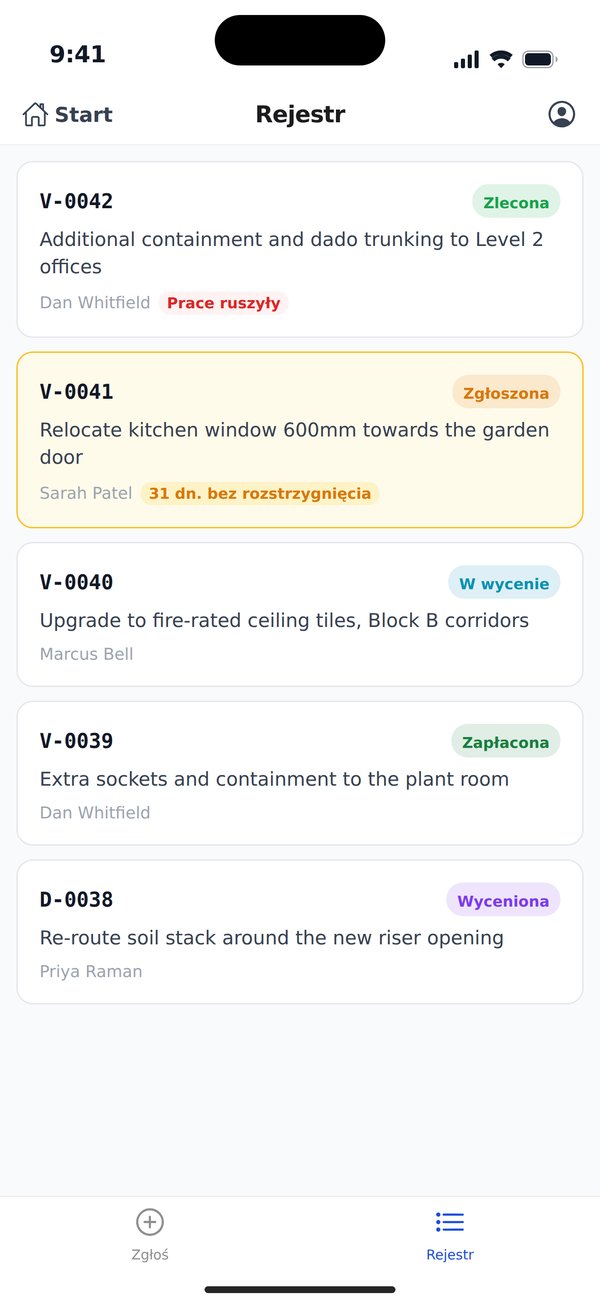
The Register tab lists your variations with their reference, their status from Priced and Submitted to Instructed and Paid, and who asked for them. A submission still waiting at 28 days is marked, and marked red at 42. Captures waiting to upload are counted at the top.
The answer on the screen
If something seems not to send, Settings on the phone shows the connection as the phone sees it and as the server sees it, what happened to the last capture, and the app’s version.
In your crew’s own language
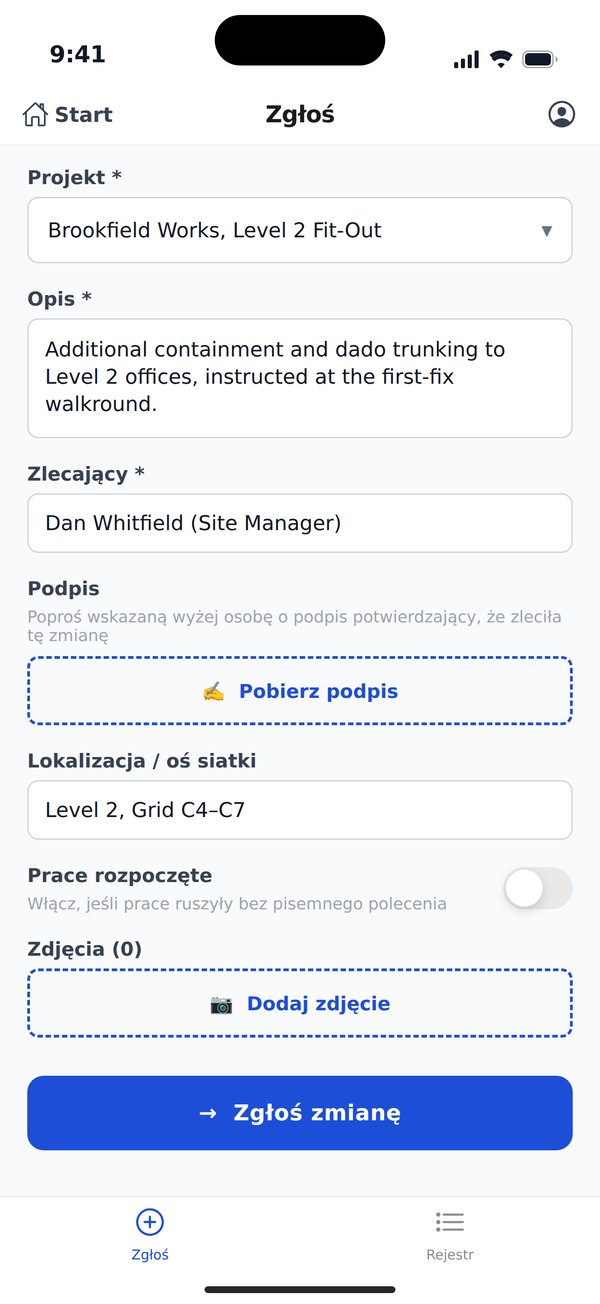
The app speaks ten languages and follows each phone’s own, so a Polish operative on an English job gets a Polish app. Anyone can choose another language in Settings, and the choice stays on that phone.
- English
- Deutsch
- Español
- Français
- Italiano
- Nederlands
- Polski
- Português
- Українська
- 日本語
The record does not change with the language. The project, the references and what the office sees are the same whatever language captured them, and money always shows in your organisation’s currency: a UK job reads in pounds on a phone set to Polish.
Who it is for
Whoever sees the change happen
The operative on the tools and the supervisor on the walkround. A site operative sees the project list and the register without any prices.
The QS in the office
A capture lands in the register on the web as a draft, ready to price and submit, and anyone with the dashboard open sees a notice when one arrives from site.
Teams on QA Flow
Where your company has QA Flow, the same app opens it from the home screen for inspection forms, snags and drawings on site.
You need a VariationFlow account
The app is free to download. It works with your company’s VariationFlow account, and each person signs in as themselves.
- 1
Your company signs up
At variationflow.com. The first job is free: one project, two users, no card.
- 2
The team is invited
An admin, a director or a contracts manager invites each person from Settings, Team, on the role that matches their job.
- 3
Everyone signs in once
Install the app and sign in with signal, using the email you were invited on. The app then stays signed in and captures offline.
Get the app
On the phone in your pocket, today. If your company is not on VariationFlow yet, start free or see it on a working job first.